 Comparison
Best Project Management Software for Event Planners
Last Updated: October 23, 2026
Quick Summary
The best project management software for event planners depends on your bottleneck: general tools like Asana and monday.com handle task coordination, purpose-built platforms like Planning Pod bundle event-specific tools, and Eventscape covers design visualization. Most planners need one operations platform plus a design tool, not one tool that claims to do everything.
- General project management tools coordinate tasks but do not natively handle registration, ticketing, or onsite check-in.
- Eventscape generates photorealistic design previews of tablescapes, florals, and room ambiance in 1-3 minutes.
- Planning Pod bundles more than 20 specialized event-planning tools, including floor plans and budgeting.
- Asana starts at $10.99 per user per month, while monday.com starts at $9 per user per month with a free tier.
- Build a reusable checklist template and update it after every event, not before.
Table of Contents
- Why Event Planners Need Project Management Software
- Top Project Management Software for Event Planners Compared
- The distinction that matters: project tools vs. event platforms
- Eventscape: AI-Powered Design for Luxury Events
- Plutio: All-in-One Project Management with Invoicing
- Planning Pod: Event-Specific Tools in One Platform
- Asana: General Project Management for Event Teams
- monday.com: Visual Workflows with a Free Tier
- Key Features to Look for in Event Planning Software
- Using an Event Planning Checklist Template for Every Event
- Building an Event Planning Timeline Template That Works
- Event Budget Management Software: Tracking Costs in Real Time
- How to Choose the Right Tool for Your Event Scale
- Conclusion
- Frequently Asked Questions
Why Event Planners Need Project Management Software
The best project management software for event planners holds timelines, tasks, vendors, budgets, and client approvals in one place instead of five.
Event planning is a coordination problem disguised as a creative one. A single wedding can involve a venue, florist, caterer, lighting crew, rental company, and band, each with separate deadlines.
The payoff is simple: fewer surprises on event day and a calmer client. See why planners are switching to photorealistic previews to close clients.
Top Project Management Software for Event Planners Compared
The right pick depends on whether you need task coordination alone or a full event platform that also handles registration, ticketing, attendee communications, and onsite tools.
Confirm current plans and add-on costs with each vendor, because per-event, attendee-based, and transaction-fee models can change total cost of ownership significantly.

| Tool | Category | Starting Price | Free Tier | Best For | Standout Feature | Pricing Model |
|---|---|---|---|---|---|---|
| Eventscape | Design visualization | See site for plans | No | Luxury and boutique design | AI photorealistic previews in 1-3 minutes | Subscription; confirm per-seat vs per-project |
| Plutio | General project management with invoicing | $19/month | No | Planners needing invoicing | Vendor contracts plus time tracking | Per-account subscription; confirm seat limits |
| Planning Pod | Purpose-built event platform | Contact for pricing | No | Venue and floor planning | 20+ event-specific tools in one platform | Quote-based; confirm per-event vs per-user |
| Asana | General project management | $10.99/user/month | No | General team task tracking | Flexible project views | Per-user subscription; tiers by features |
| monday.com | General project management | $9/user/month | Yes | Visual workflow teams | Customizable boards | Per-user subscription; seat minimums apply |
The distinction that matters: project tools vs. event platforms
General project management tools like Asana and monday.com are built around tasks, timelines, and team collaboration. They excel at coordinating internal work across multiple events but do not natively handle registration, ticketing, attendee communications, or onsite check-in.
A practical rule: if your bottleneck is internal task coordination and vendor follow-up, a general tool is enough. If it is the attendee experience, registration, payments, communications, and onsite logistics, you need a platform that owns those workflows.
Eventscape: AI-Powered Design for Luxury Events
Our top pick for the design side of event work is Eventscape. It is an AI-powered design platform built specifically for luxury and boutique planners.
That speed matters when a client wants three centerpiece directions before a Thursday call. Design previews are also a project management asset: every approved rendering becomes a shared reference the florist and rental team can work from, cutting revision cycles.
The limitation: Eventscape handles design visualization, not task assignment or invoicing. Pair it with a tracking tool for the operational side.
Plutio: All-in-One Project Management with Invoicing
Plutio bundles project management with vendor contract management, time tracking, and client invoicing. For a small planning firm running invoices through a separate app, that consolidation is the real selling point.
Where it falls short: plan limits and billing-term pricing are unspecified, so confirm before committing a team. Ask whether the price is per account or per seat, and whether client-facing invoicing carries transaction fees.
Planning Pod: Event-Specific Tools in One Platform
Planning Pod brings task tracking, budgeting, and floor plan tools into one platform, with more than 20 specialized event-planning tools. Venue managers who sketch layouts weekly get the most from the floor plan feature.
Pricing requires a direct conversation with the company, common for event-specific platforms, but it means you cannot compare costs at a glance. When requesting a quote, ask for a per-event and per-user breakdown to model total cost against your annual event volume.
Asana: General Project Management for Event Teams
Asana is a general project management tool. It excels at task assignment, project timelines, and team collaboration across multiple events.
The tradeoff is real: Asana is not built for events, so floor plans, seating charts, and vendor contracts need separate tools or custom fields. For a team already fluent in Asana, that is a reasonable compromise. Model per-user cost against team size before committing, because seat-based pricing scales quickly for agencies with seasonal staff.
monday.com: Visual Workflows with a Free Tier
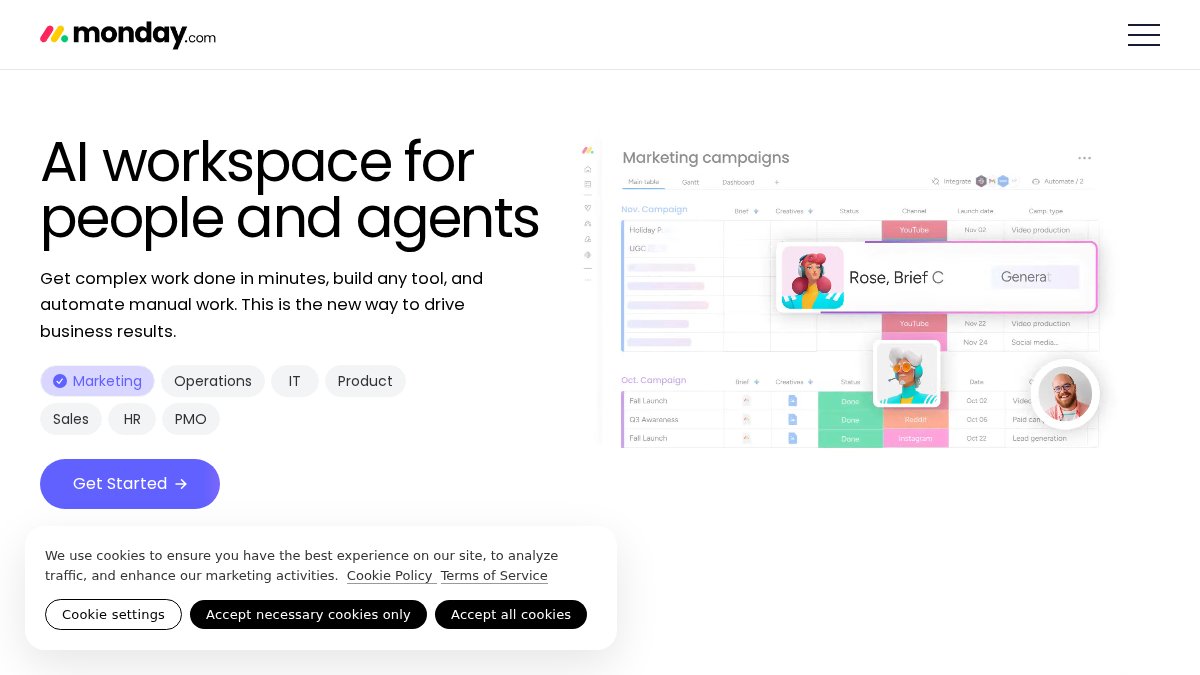
monday.com offers visual boards with a free tier. Its drag-and-drop boards suit planners who think in columns: booked, in progress, confirmed, done.
The free option is worth testing. Paid tiers typically add automation and guest access, which matter once vendors and clients join the workflow.
Key Features to Look for in Event Planning Software
The features that matter most depend on where your workflow breaks. Evaluate each platform against the end-to-end event workflow: brief and budget, vendor booking, design approval, logistics, event-day execution, and post-event reporting. A tool strong in one phase but weak in another will force you back into spreadsheets.
Run every option against this workflow-based checklist, and note which phase each feature supports:
- Brief and budget: Task assignment with clear owners and due dates; budget tracking that updates in real time as invoices arrive (planning phase)
- Vendor booking: Vendor and stakeholder coordination in one thread; document sharing and file management for contracts and COIs (planning phase)
- Design approval: Client approval links or guest access so sign-off is recorded, not buried in email (planning phase)
Match features to event scale and planner workflow
A solo planner running a handful of weddings a year needs task assignment, a shared timeline, and client approval links, not enterprise reporting. A boutique agency juggling corporate and social events needs multi-event dashboards, per-event budget tracking, and permissions so contractors see only their events. A corporate team running recurring conferences needs registration, attendee management, ticketing and payments, marketing and email campaigns, and post-event reporting in one platform.
Use this mapping to avoid paying for features you will not use:
- Solo planner, design-heavy: design visualization plus a simple task board; prioritize approval links and file sharing.
- Small agency: multi-event task tracking, invoicing, and vendor contracts; prioritize per-event budget tracking and permissions.
- Corporate or recurring conferences: purpose-built event platform with registration, ticketing, attendee communications, and reporting.
Accessibility, privacy, and data handling
Attendee data protection, permissions, and accessibility are easy to overlook until a client or venue asks. Ask vendors how they handle attendee data, whether role-based permissions limit what contractors see, and whether exported reports support client reporting needs. These rarely appear in feature comparisons but determine whether a platform is usable for corporate and regulated events.
Measurable outcomes and post-event reporting
The strongest platforms let you close the loop after the event. Look for reporting on budget variance (planned vs. actual spend), registration conversion, attendance, task completion, and event ROI. If a tool cannot report those outcomes, you will rebuild the analysis in a spreadsheet, defeating the purpose of consolidating your workflow.
If your design workflow is the bottleneck, the deeper guide on how to write an event design brief shows how software output ties directly to florist and rental quotes.
Using an Event Planning Checklist Template for Every Event
An event planning checklist template is a reusable list of every task an event requires, from venue booking to final walkthrough. Build it once, duplicate it per event, and adjust for scale.
Start with these phases: discovery, vendor booking, design approval, logistics, week-of execution, and post-event follow-up. Assign each item an owner and a deadline offset from the event date, so a checklist built for a gala still works for a smaller corporate dinner.
Building an Event Planning Timeline Template That Works
A working event planning timeline template counts backward from the event date, not forward from today. Set milestones at 90, 60, 30, 14, and 7 days out, each assigned to a person.
The 90-day milestone covers venue and vendor contracts. At 60 days, design approvals should be locked. At 30 days, final headcounts and payments go out.
Most planners get this wrong by treating the timeline as a document rather than a live system.
Event Budget Management Software: Tracking Costs in Real Time
Event budget management software tracks committed and actual spend against your planned budget as invoices arrive. The value is catching overruns while you can still adjust, not after the final bill.
Set a contingency line at the start, track deposits separately from final payments, and reconcile vendor invoices weekly. A platform with budget tracking built in, like Planning Pod, saves the spreadsheet shuffle.
How to Choose the Right Tool for Your Event Scale
Match the tool to your event volume and team size, not the longest feature list. A solo planner running a handful of weddings a year does not need enterprise task management; a boutique agency juggling corporate and social events simultaneously does.
Use this decision path:
- Solo designer, design-heavy work: Eventscape for previews, plus a simple task board.
- Small firm needing invoicing: Plutio to consolidate projects and billing.
- Venue with layout work: Planning Pod for floor plans and budgeting.
When you are ready to compare costs against your event volume, visit the Eventscape website for current pricing and plans.
Conclusion
The hardest part of choosing project management software for event planners is separating design tools from operations tools, because most planners need both. Pick a tracking platform for tasks, budgets, and vendors, then give your design process the same rigor.
Eventscape handles the design side: describe a vision in one sentence and get photorealistic tablescape, floral, and room previews in 1-3 minutes, built for luxury and boutique planners. If you want the details on trial, pricing, and sharing before you start, the Eventscape FAQ answers them. Get started with Eventscape and show clients the room before a single candle is lit.
Frequently Asked Questions
What features should event planners look for in project management software?
Event planners need task assignment, project timelines, calendar management, and team collaboration tools. Look for vendor coordination features, budget tracking, and document sharing. Event planning software should also include checklists, milestones, and reporting. If you manage design-heavy events, consider tools like Eventscape that generate photorealistic visualizations. Prioritize user-friendly interfaces and integrations with email marketing and payment platforms to reduce planning stress.
Can project management software manage vendors, budgets, and event timelines?
Yes, many platforms handle all three. Plutio combines vendor contract management with time tracking and invoicing. Planning Pod includes budgeting tools and floor plans. For event budget management software, look for real-time expense tracking and resource allocation. Timeline features like Gantt charts and milestones keep deadlines visible. General tools like Asana and monday.com offer customizable templates, but purpose-built event platforms often include vendor and budget modules out of the box.
What is the difference between event management software and project management software?
Event management software is built for the specific workflows of events: registration, ticketing, attendee management, venue coordination, and floor planning. Project management software focuses on tasks, timelines, and team collaboration across any industry. Many event planners use both: a project tool for internal task management and an event platform for attendee-facing functions. Some platforms, like Planning Pod, blend both by offering event-specific tools alongside task tracking and budgeting.
How much does project management software for event planners cost?
Pricing varies by platform and team size. Planning Pod requires contacting the vendor for pricing. Eventscape does not publish pricing, so visit its website for a quote. For boutique firms, per-user costs add up quickly, so evaluate total cost of ownership against the features you actually use, like event budget management software or timeline templates.