 Comparison
Prismm Alternatives for Boutique Agencies
Table of Contents
- Why Boutique Agencies Need Prismm Alternatives
- Best Event Rendering Software 2026 for Boutique Teams
- How to Create Photorealistic Event Mockups Without Prismm
- Comparison Table: Prismm Alternatives at a Glance
- Workflow Automation and Migration Strategies
- Total Cost of Ownership: Pricing and ROI for Boutique Agencies
- Conclusion
- Frequently Asked Questions
Last Updated: August 31, 2026
Why Boutique Agencies Need Prismm Alternatives
Boutique event agencies operate under constraints that enterprise platforms ignore. Your team is lean, clients expect luxury execution at boutique-friendly budgets, and design processes must move fast, presentations happen in days, not weeks.
Prismm alternatives exist because the original tool doesn't fit how smaller teams actually work. The learning curve is steep, pricing assumes volume you don't have, and the interface feels built for isolated designers, not collaborative teams juggling multiple vendors and client approvals simultaneously.
What you need is a platform that understands your workflow: rapid concept visualization, client-ready outputs, seamless handoffs to vendors, and pricing that scales with your actual event count, not your team headcount.
At Eventscape, we've watched boutique agencies struggle with this exact problem. This guide covers the best alternatives that fit how boutique teams operate, plus strategies to migrate from legacy systems and calculate the real cost of switching.
Best Event Rendering Software 2026 for Boutique Teams
The market for event rendering software has matured significantly. What separates leaders from the rest is whether the platform understands boutique workflows: tight budgets, small teams (3-6 people), rapid turnaround demands, and the need for client-ready outputs without weeks of training.
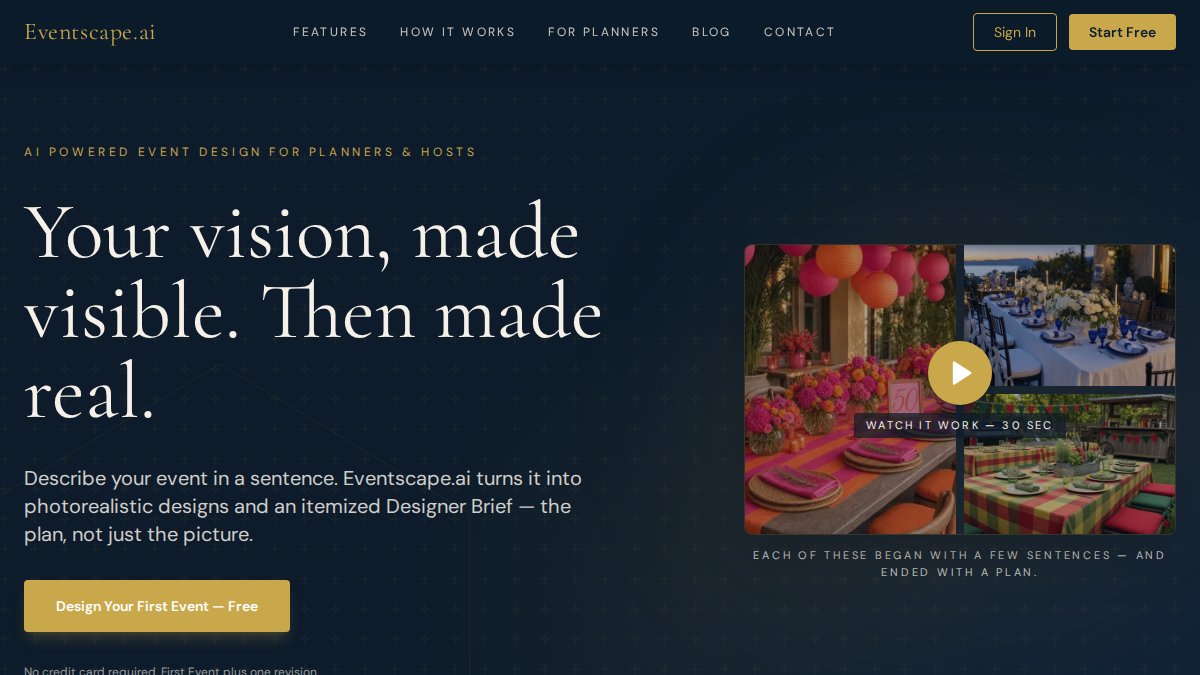
Eventscape: AI-Powered Design for Luxury Planners
Eventscape was built specifically for how boutique planners think. You describe your vision in natural language. The AI generates photorealistic visualizations of tablescapes, florals, centerpieces, and room ambiance in 1-3 minutes (peer-reviewed research). No learning curve. No wrestling with unfamiliar design tools.
The platform generates professional-grade outputs that surpass mood boards and Pinterest collections. Clients see exactly what their event will look like before vendors are booked, eliminating revision cycles that kill timelines on small teams.
Boutique-specific strengths:
- Client approval links that let clients sign off on design elements directly, reducing email threads
- Branded style boards that export polished PDFs with your watermark
- Project pipeline that tracks events from concept through execution
- Per-event pricing model (not per-user), so a 4-person team pays the same whether all 4 use it or just 1 does
- Free trial with no credit card required
Implementation profile: Most boutique agencies report initial setup, with team proficiency within 1-2 weeks of active use.
Limitation: AI-generated mockups work best for traditional luxury and contemporary design. Highly abstract or unconventional requests may need manual refinement.
Social Tables: Advanced 3D Visualization and Collaboration
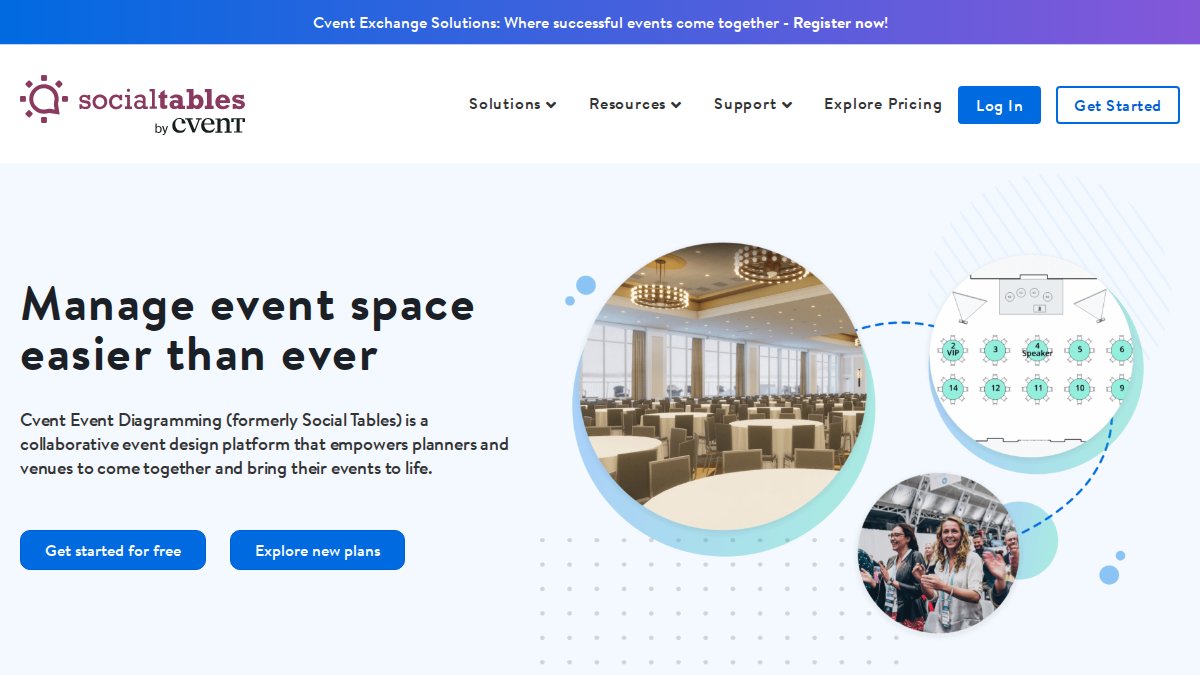
Social Tables, now part of Cvent, brings enterprise-grade 3D diagramming to venue planning. If your boutique agency handles multiple events in the same venue, the 3D visualization and seating chart integration becomes valuable.
The platform excels at collaborative floor planning. Your team, venue, and client see the same 3D layout in real time. Changes propagate instantly. The extensive furniture library (10,000+ items) means layouts look accurate without manual tweaking.
Boutique-specific strengths:
- Real-time collaboration reduces back-and-forth emails
- Seating chart integration with guest list management
- Exports floor plans as PDFs, images, and venue-compatible formats
Boutique-specific weaknesses:
- Quote-based pricing; typical boutique agencies report $400-800/month after negotiation
- Per-user licensing: a 4-person team may pay $1,600-3,200/month
- Onboarding assumes 20-40 hours of staff time; most boutique agencies hire a consultant ($2,000-5,000) or dedicate one person for 2-3 weeks
- Designed for hotels and convention centers managing dozens of events. For 20-40 annual events, it often feels like overkill
- Learning curve is 3-4 weeks; the interface has 50+ features, most boutique agencies never use
Best use case: If you work repeatedly with the same 3-5 venues and need precision floor plans with real-time venue collaboration, Social Tables delivers. For rapid concept visualization across varied spaces, look elsewhere.
Goodshuffle Pro: Integrated Inventory and Design Management
Goodshuffle Pro solves a specific problem: managing physical inventory while designing events. If your boutique agency rents linens, florals, lighting, or furniture, Goodshuffle consolidates inventory tracking, proposals, and client wishlists into one system.
Conflict detection prevents double-booking inventory across events. Branded proposals let clients build wishlists and request quotes directly. Payment processing happens in the same platform, eliminating back-and-forth between design and accounting.
Boutique-specific strengths:
- Inventory management prevents overbooking across simultaneous events
- Client self-service wishlist reduces design revision cycles
- Integrated payments and invoicing reduce accounting overhead
- Per-event pricing (not per-user)
Boutique-specific limitations:
- Not a graphic design canvas. You won't generate photorealistic mockups here
- Design visualization is limited to flat mood boards and product photos, not 3D renderings
- Requires manual inventory data entry upfront (20-40 hours for a boutique agency's rental library)
- Best suited for agencies that own or rent decor; pure design consultancies don't benefit
Best use case: Event design companies that also rent decor, furniture, or linens and need to prevent double-booking while managing proposals. Pure design consultancies should look elsewhere.
Quick Comparison: Implementation Time and Learning Curve
| Platform | Setup Hours | Team Learning Curve | Per-User Cost Model | Best Team Size |
|---|---|---|---|---|
| Eventscape | 4-8 hours | 1-2 weeks | Per-event | 2-8 people |
| Social Tables | 20-40 hours | 3-4 weeks | Per-user | 5+ people |
| Goodshuffle Pro | 20-40 hours (inventory entry) | 2-3 weeks | Per-event | 3-6 people |
For boutique agencies with limited onboarding bandwidth, Eventscape requires the least implementation time.
How to Create Photorealistic Event Mockups Without Prismm
The shift from mood boards to photorealistic mockups represents a fundamental change in how boutique agencies communicate with clients.
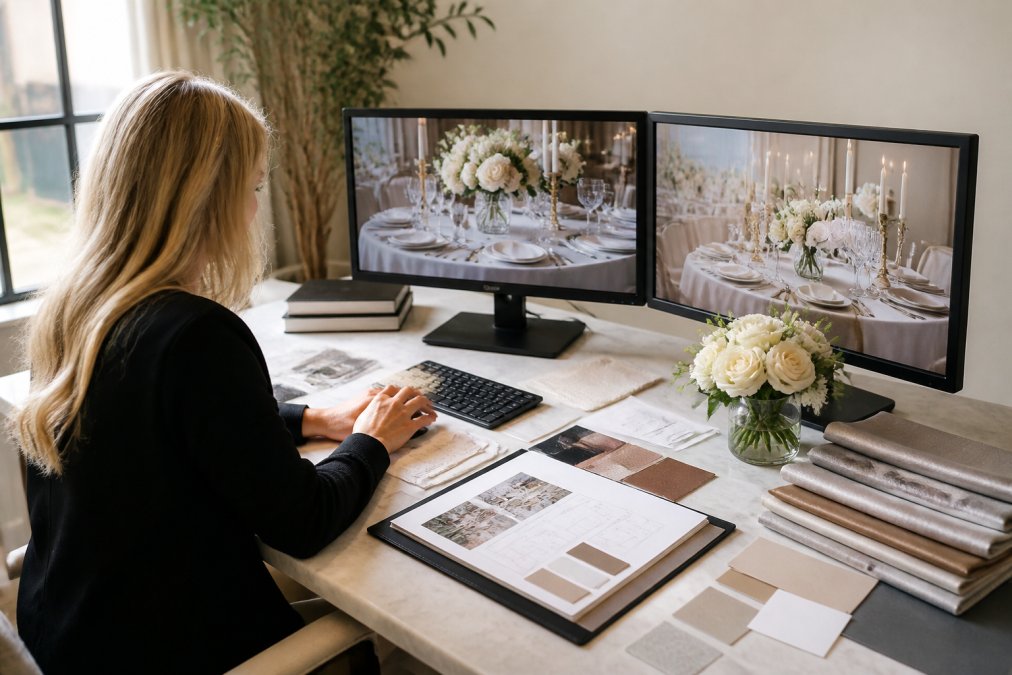
Start with a clear design brief. Write down specific elements: table linens, centerpiece flowers, candle color, lighting tone, room backdrop. Include Pantone colors, design references, or mood descriptors. The more specific your description, the more accurate the visualization.
Input your description into the rendering platform. Most modern tools accept natural language. "Art Deco with soft pink and gold accents, low floral arrangements with garden roses and eucalyptus" produces better results than vague requests like "elegant and luxe."
Review the initial output. Most platforms generate multiple variations. Select the version closest to your vision, then refine. Adjust florals, swap accent colors, modify lighting. Each iteration takes seconds.
Export the final mockup in client-ready format. Add your branding, include design notes, and send via client approval link. Clients can comment directly on the visualization, eliminating email threads.
Treat the first output as a starting point, not a finished product. Spend 5-10 minutes refining each design. The difference between a rough output and a polished one is the gap between "interesting concept" and "this is what we're building."
Comparison Table: Prismm Alternatives at a Glance
| Platform | Best For | Key Strength | Primary Limitation |
|---|---|---|---|
| Eventscape | Rapid concept visualization for luxury events | AI-powered photorealistic output in 1-3 minutes | Abstract designs may need manual refinement |
| Social Tables | Precision floor planning with venue collaboration | Advanced 3D visualization and real-time updates | Enterprise pricing, steep onboarding curve |
| Goodshuffle Pro | Event design with physical inventory management | Consolidated inventory, proposals, and payments | Not a design visualization tool |
Workflow Automation and Migration Strategies
Switching platforms disrupts established workflows. Plan the transition to minimize client-facing delays.

Map your current workflow before switching. Document which tools handle design, approvals, vendor communication, and project tracking. Identify bottlenecks, these are pain points your new platform should address first.
Run a parallel system for 2-3 events. Use the new platform alongside existing tools. This lets your team learn without stakes and reveals integration gaps before client work depends on them.
Migrate projects in batches, not all at once. Move your next 5-10 events to the new platform. Establish processes. Build confidence. Then expand. This reduces the risk of catastrophic failure.
Communicate the change to key vendors early. Your florist, lighting designer, and rental company need to understand how the new platform affects them. Test exports with vendors before client work depends on them.
Assign one person as the platform champion, someone who becomes expert enough to troubleshoot and train others. Plan for a 2-4 week learning curve before full team adoption.
Total Cost of Ownership: Pricing and ROI for Boutique Agencies
Boutique agencies often evaluate software based on monthly subscription cost alone. Total cost of ownership spans three dimensions: software subscription, implementation and training, and labor savings or efficiency gains.
Subscription Costs: The Hidden Model Differences
Subscription costs vary dramatically based on pricing model. For a boutique team running 30 events annually with 4 staff members, the difference between pricing models can swing your annual cost by $3,000-8,000 (sba.gov).
Per-user pricing model:
- Typical cost: $50-150/user/month
- For a 4-person team: $2,400-7,200/year
- Hidden cost: Every new hire increases your monthly bill
Per-event pricing model:
- Typical cost: $50-200/event
- For 30 events annually: $1,500-6,000/year
- Hidden cost: Costs scale with business growth
Per-month flat-rate pricing:
- Typical cost: $300-800/month ($3,600-9,600/year)
- Hidden cost: You pay the same whether you run 10 or 50 events
Quote-based enterprise pricing:
- Typical cost: $400-2,000+/month after negotiation
- Hidden cost: Requires sales call, contract negotiation, and often per-user add-ons
Request pricing quotes based on your actual event volume and team size. A platform charging $200/event might be cheaper than one charging $500/month if you run fewer than 30 events annually.
Implementation Costs: Time and Training
Implementation time is where hidden costs accumulate:
Initial setup and configuration: 4-20 hours
- Platform customization, data migration, integration setup
Team training: 8-40 hours
- Initial training session: 2-4 hours
- Hands-on practice: 4-8 hours per team member
- Ongoing troubleshooting: 2-4 hours/month for first 3 months
External consulting (if needed): $1,500-5,000
Total implementation investment: 40-60 hours of staff time, or $2,000-5,000 if outsourced.
At a boutique agency billing rate of $75-150/hour, 50 hours of internal staff time costs $3,750-7,500 in opportunity cost (bls.gov).
Labor Savings: Where ROI Actually Happens
Most platforms pay for themselves through labor efficiency.
Typical time savings per event:
- Design-to-approval cycle: 5 days → 2 days (saves 3 days)
- Vendor specification generation: 2 hours → 15 minutes (saves 1.75 hours)
- Client revision cycles: 3-4 rounds → 1-2 rounds (saves 4-6 hours)
- Total per event: 8-11 hours saved
For a 4-person boutique agency running 30 events annually:
- Hours saved annually: 30 events × 9 hours = 270 hours
- At $100/hour billing rate: $27,000 in labor value recovered
Payback calculation example:
- Annual software cost: $3,600 (per-event model at $120/event)
- Implementation cost: $4,000 (50 hours at $80/hour)
- Total Year 1 cost: $7,600
- Labor savings Year 1: $20,250
- Net benefit Year 1: $12,650
- Payback period: 2.2 months
Most platforms pay for themselves within 3-6 months through labor efficiency alone.
Hidden Costs to Budget For
Per-user add-ons: Some platforms charge base subscription plus per-user fees for advanced features. A $300/month platform might add $50/user/month for mobile access. For a 4-person team, that's $2,400/year in add-ons.
Integration fees: Custom integrations or API fees can cost $500-2,000 upfront or $50-200/month.
Data migration services: Moving projects and vendor information from legacy systems can cost $1,000-3,000.
Annual price increases: Most SaaS platforms increase pricing 5-15% annually.
Training for new hires: Each new team member requires 4-8 hours of training at $320-640 per hire.
ROI Calculation Template for Your Agency
- Annual subscription cost: $ _____
- Implementation cost: $ _____
- Year 1 total cost: $ _____ (line 1 + line 2)
- Hours saved per event: _____
- Annual hours saved: _____ (hours per event × annual event count)
- Hourly billing rate: $ _____
- Annual labor value: $ _____ (line 5 × line 6)
- Year 1 net benefit: $ _____ (line 7 − line 3)
- Payback period (months): _____ (line 2 ÷ (line 7 ÷ 12))
Decision rule: If payback period is less than 6 months and Year 1 net benefit is positive, the platform is financially justified.
Request a Trial Period and Measure Real Savings
Most reputable platforms offer 14-30 day free trials. Use this period strategically:
- Run 2-3 real events through the platform
- Time each workflow step
- Compare against your current process
- Calculate actual hours saved, not estimated savings
- Use that data to refine your ROI calculation
Commit to using the platform's core features for at least 3 events before deciding it's not worth the cost.
Conclusion
Boutique agencies have outgrown one-size-fits-all event software. Eventscape was built specifically for how you work: rapid visualization, client approval, vendor coordination, all at a price that scales with your actual event volume. The platform generates photorealistic mockups in 1-3 minutes, includes client approval links for seamless sign-off, and exports branded style boards that position your team as the creative authority. Start with a free trial to see how it fits your workflow, then migrate your next 5-10 events to establish processes before full adoption.
Frequently Asked Questions
What makes Eventscape different from Prismm for boutique agencies?
Eventscape is specifically built for luxury and boutique event planners who need photorealistic visualizations of tablescapes, florals, and room ambiance in 1-3 minutes. Unlike Prismm, Eventscape focuses on fast visual concept generation with client-facing approval links and branded style boards, reducing design-to-approval cycles. The platform is ideal for boutique teams that prioritize rapid client communication over enterprise-scale venue management.
How do I create photorealistic event mockups quickly without switching platforms entirely?
Start by documenting your current workflow and identifying bottlenecks in design approval. AI-powered event rendering software like Eventscape generates photorealistic mockups from text descriptions in minutes, eliminating manual mood board creation. Export branded style boards as client-ready PDFs with custom watermarks. Use client approval links to gather sign-off digitally, reducing email back-and-forth. Many boutique agencies run parallel workflows initially, testing the new tool on one or two events before full migration.
Is switching to a Prismm alternative worth the cost for a small boutique agency?
The value depends on your event volume and design cycle. If you handle 10+ events annually and spend 5-10 hours per event on mood boards and client revisions, switching to best event rendering software 2026 typically pays for itself through time savings. Calculate total cost of ownership by comparing subscription fees against billable hours saved. Many boutique agencies find that faster design approval cycles allow them to take on additional events or increase fees without proportional time investment.
Can AI-generated event mockups really match the nuance of luxury aesthetic requests?
Modern AI rendering platforms handle specific design briefs effectively when given detailed descriptions. Eventscape accepts detailed prompts like 'Art Deco meets modern minimalism with blush and gold tones' and generates multiple variations. The key is treating AI visualization as a communication tool, not a final product. Boutique planners use renderings to align client vision before florists and designers execute details. This reduces revision cycles and prevents costly execution errors based on miscommunication.