 listicle
AI Design Platforms for Wedding Planners: 2026
Table of Contents
- How We Evaluated These AI Design Platforms
- Quick Comparison: AI Design Platforms for Wedding Planners
- AI Event Visualization Software: The Top Picks
- 1. Eventscape, Photorealistic Tablescapes and Room Ambiance
- 2. Social Tables (Cvent Event Diagramming), Collaborative Floor Plans at Scale
- 3. Allseated, 360-Degree Virtual Walkthroughs
- 4. HoneyBook, Client Lifecycle and Automated Scheduling
- 5. Mock It AI and ZSky AI, Fast Mood Board Generation
- 6. Weddie.app, End-to-End Planning with RSVP Tracking
- How to Use AI for Wedding Floor Plans
- AI Wedding Design Workflow Tips for Professional Planners
- Cost-Benefit Analysis: Is a Premium AI Subscription Worth It?
- Conclusion
Last Updated: August 24, 2026
AI design platforms for wedding planners have moved well past the novelty stage. Today's tools generate photorealistic tablescapes, automate scheduling, manage guest lists, and produce collaborative floor plans within a single workflow. At Eventscape, we work with luxury and boutique planners who need polished concepts before vendors are booked. The gap between what AI can do and what most planners use is significant. Below, we break down which platforms are worth your time, which serve specific functions, and where real workflow gains hide.
How We Evaluated These AI Design Platforms
The right AI design tool depends on what stage of planning it serves. Visual concept generation, spatial planning, client communication, and logistics management are distinct problems, and no single platform solves all equally well.
Our evaluation criteria:
- Visual fidelity: Does the output look professional enough to show clients without caveats?
- Prompt responsiveness: Can the tool handle specific aesthetic briefs like "Art Deco meets modern minimalism with a specific Pantone palette," or does it default to generic results?
- Collaboration features: Can vendors, clients, and planners work from the same source of truth?
- Workflow fit: Does the tool integrate into existing processes, or require rebuilding around it?
- Pricing transparency: Is the cost structure predictable enough to factor into per-event overhead?
Eventscape leads the list because it's the only tool built specifically for luxury event visualization from a single-sentence prompt.
Quick Comparison: AI Design Platforms for Wedding Planners
| Platform | Best For | Free Tier | Pricing | Standout Feature |
|---|---|---|---|---|
| Eventscape | Photorealistic event visualization | Limited (2 previews) | Visit eventscape.ai for current plan details. | Luxury tablescape generation from a single prompt |
| Social Tables (Cvent) | Collaborative floor plans | Yes | Custom | Real-time multi-stakeholder diagramming |
| Allseated | 360° spatial walkthroughs | No | Contact for pricing | Drag-and-drop VR floor plans |
| HoneyBook | Client lifecycle management | No | Contact for pricing | Automated scheduling and AI email drafting |
| Mock It AI | Mood board generation | No | Credit-based | Auto-arranged visual inspiration boards |
| ZSky AI | Free mood board creation | Yes (free) | Free/premium tiers | Instant mood boards from text descriptions |
| Weddie.app | End-to-end wedding logistics | No | Contact for pricing | RSVP tracking with AI venue visualizer |
AI Event Visualization Software: The Top Picks
AI event visualization software translates written briefs into visual outputs clients can respond to, cutting revision cycles and shortening approval timelines.

1. Eventscape, Photorealistic Tablescapes and Room Ambiance
Eventscape generates photorealistic visuals of tablescapes, florals, centerpieces, and full room ambiance from a single sentence description, delivered in one to three minutes (peer-reviewed research). A prompt like "Art Deco ballroom with deep emerald velvet linens, gold candelabras, and cascading white orchids" produces renderings reflecting those exact aesthetic choices. The platform converts creative briefs into an itemized Designer Brief, giving planners detailed plans for coordinating with florists and rental companies. Client-facing features include watermarked visuals for pre-approval sharing and approval links for secure feedback collection.
Best for: Luxury and boutique planners who need to win client approval on design concepts before committing vendor budgets.
Pros:
- Photorealistic output tuned for event aesthetics
- Designer Brief output speeds vendor coordination
- Watermarked visuals protect designs pre-sign-off
- 1-3 minute turnaround per visualization
Cons:
- Focused on visual design; logistics management requires separate tools
Pricing depends on quantity, dates, and delivery. Visit eventscape.ai for current plan details.
2. Social Tables (Cvent Event Diagramming), Collaborative Floor Plans at Scale
Social Tables creates detailed, to-scale 2D and 3D floor plans with real-time collaboration allowing planners, venues, and clients to work from the same document simultaneously. The 3D walkthrough feature gives clients spatial sense of the room before setup day, reducing last-minute layout changes.
Best for: Planners working with large venues where seating, spatial flow, and multi-vendor coordination are primary challenges.
Pros:
- Real-time collaboration across stakeholders
- Photo-realistic 3D walkthroughs
- Guest list and seating arrangement integration
Cons:
- AI features support diagramming rather than creative concept generation
- Pricing is custom and requires contact
3. Allseated, 360-Degree Virtual Walkthroughs
Allseated's drag-and-drop interface handles table and seating arrangements with a comprehensive furniture and decor library. The 360-degree virtual walkthrough is among the most immersive available, allowing vendors and clients to access the same floor plan, leave comments, and approve changes without site visits (peer-reviewed research).
Best for: Decorators and venues needing detailed floor plans with immersive spatial previews for remote or destination clients.
Pros:
- 360° VR walkthrough capability
- Comprehensive furniture and decor library
- Real-time vendor and client collaboration
Cons:
- Limited AI-driven creative concept generation
- Pricing not publicly available
4. HoneyBook, Client Lifecycle and Automated Scheduling
HoneyBook centralizes client lifecycle management from initial lead through final invoice, with AI features focused on administrative efficiency. AI-powered email drafting handles personalized responses and lead follow-ups. Automated scheduling and reminders reduce manual back-and-forth. The meeting notetaker summarizes client conversations and milestones.
Best for: Independent wedding planners needing a single platform for proposals, contracts, invoices, scheduling, and client communication.
Pros:
- Centralizes multiple business functions
- AI email drafting reduces administrative time
- CRM with lead prioritization and business insights
Cons:
- No visual design or event visualization capabilities
- Pricing requires direct contact
5. Mock It AI and ZSky AI, Fast Mood Board Generation
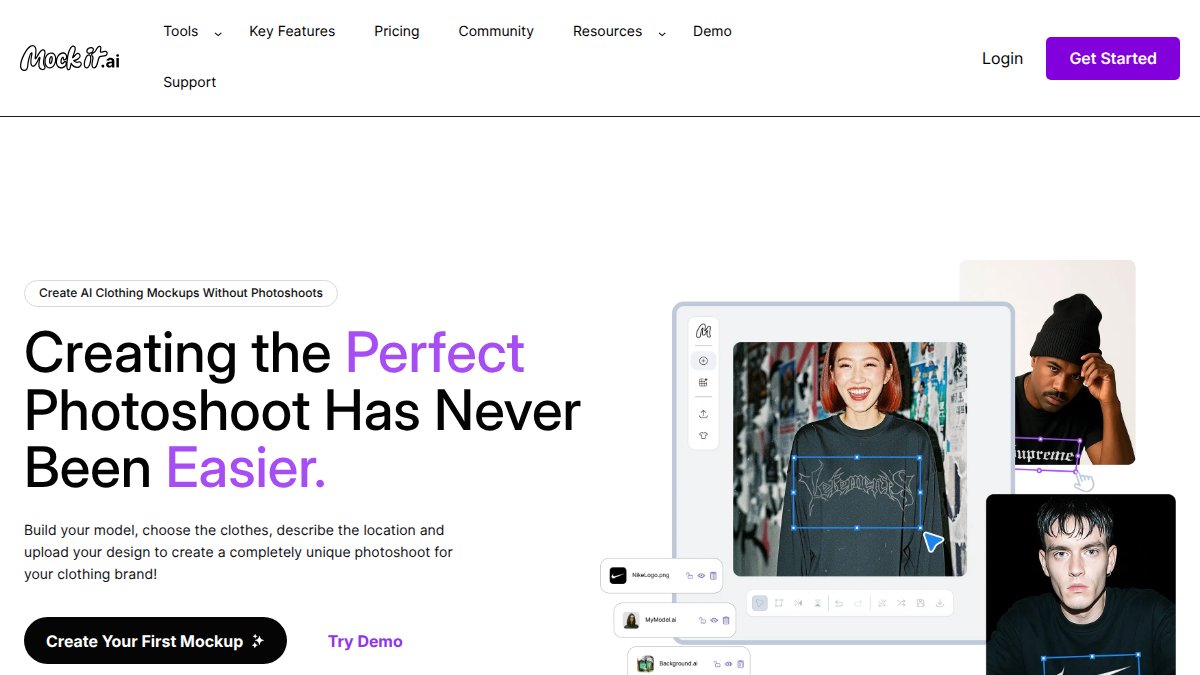
Mock It AI automatically arranges style references, textures, and visual elements into cohesive layouts from text descriptions. ZSky AI offers mood board generation from text descriptions with a free tier requiring no credit card. Both work well for initial concept development.
Best for: Planners needing rapid creative ideation tools for early client presentations before committing to detailed visualization work.
6. Weddie.app, End-to-End Planning with RSVP Tracking
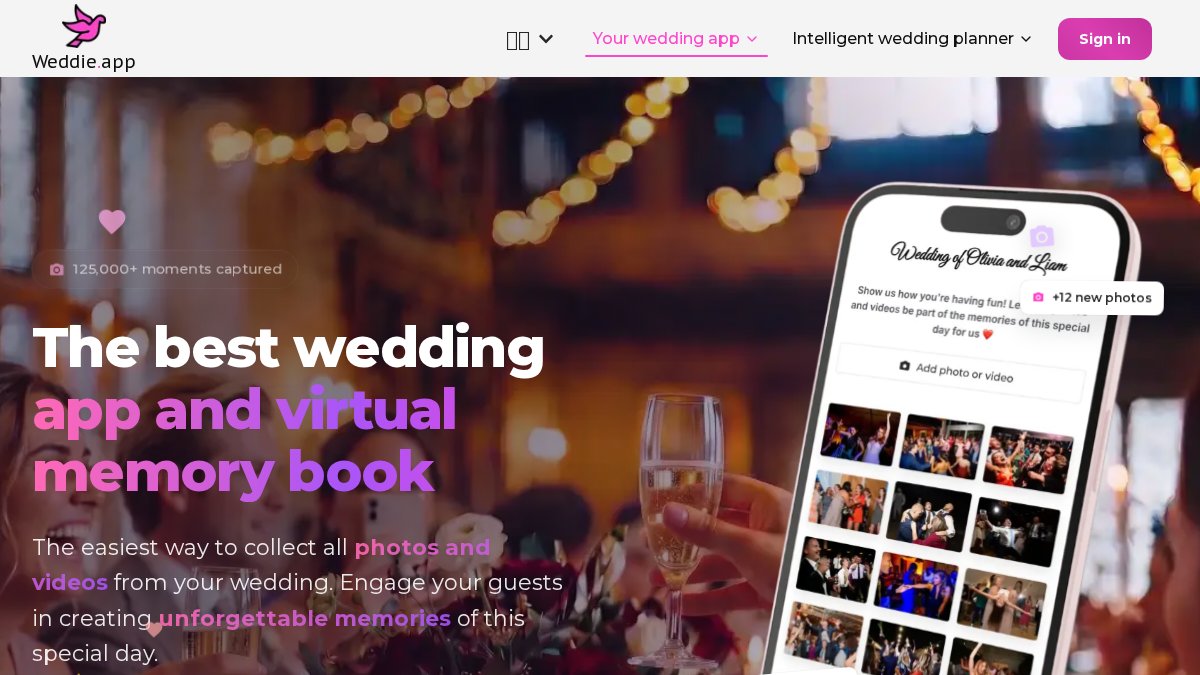
Weddie.app combines an AI venue visualizer, guest management, RSVP tracking, vendor tracking, and customizable planning timeline. The AI stylist feature handles virtual attire try-ons. The 24/7 AI assistant learns from user choices to provide tailored recommendations.
Best for: Planners wanting a single platform for guest management, RSVP tracking, vendor coordination, and basic venue visualization.
Pros:
- Comprehensive feature set spanning design and logistics
- RSVP tracking and vendor management in one platform
- AI assistant provides personalized recommendations
Cons:
- Primarily marketed toward couples
- Pricing not publicly available
How to Use AI for Wedding Floor Plans
Using AI for wedding floor plans requires a structured approach to generate outputs useful for vendor coordination and client approval.
Step 1: Define the Spatial Brief Before You Open Any Tool
Document the following before generating anything:
- Venue dimensions: Exact room measurements in feet, including ceiling height
- Fixed elements: Permanent fixtures, columns, exits, HVAC vents, electrical panels that constrain layout
- Guest count and table configuration: Total guests, preferred table shape and size, head table requirements
- Traffic flow priorities: Ceremony-to-reception transition, bar placement, dance floor positioning
- Vendor access requirements: Catering staging areas, DJ or band setup, floral delivery paths
Tools like Social Tables and Allseated allow you to input these parameters directly. Eventscape's visualization layer can then render the aesthetic of the configured space once the layout is confirmed.
Step 2: Generate, Review, and Iterate With Your Vendor Team
Generate an initial layout and share it with the venue coordinator and key vendors before presenting to the client. Collaborative planning tools that allow real-time feedback reduce revision cycles significantly compared to static PDF floor plans. After spatial approval, bring Eventscape into the workflow to generate photorealistic renderings of the confirmed layout.
AI Wedding Design Workflow Tips for Professional Planners
The biggest workflow mistake is treating AI tools as replacements for creative process rather rather than accelerators. AI design platforms are most effective when they handle the output layer while the planner retains ownership of strategic and creative decisions.

A practical three-stage workflow:
- Discovery: Use an AI assistant or CRM tool like HoneyBook to capture client preferences, budget parameters, and logistics requirements
- Concept: Use Eventscape to generate photorealistic visualizations and mood board tools for initial creative direction
- Execution: Use Social Tables or Allseated for spatial planning and vendor coordination with real-time collaboration
Protecting Your Fees When AI Speeds Up Your Process
AI-generated visuals, produced in minutes rather than hours, may prompt clients to question design value. Your fee covers creative direction, vendor relationships, logistical expertise, and judgment that turns vague vision into coherent events. Present AI-generated visualizations as part of your design service, not as separate deliverables.
AI Ethics and Copyright in Generative Design
Generative design tools raise intellectual property questions professional planners should understand before using them commercially. The U.S. Copyright Office has clarified that AI-generated images without sufficient human authorship do not qualify for copyright protection independently (copyright.gov).
For planners, this means:
- Your prompt is not automatically protected. Text descriptions may not constitute copyrightable authorship.
- Your curation and direction are. Selection, arrangement, and creative direction applied to AI outputs may constitute protectable creative work.
Treat AI-generated visuals as working documents within your design process rather than finished deliverables with independent IP status.
Cost-Benefit Analysis: Is a Premium AI Subscription Worth It?
The cost-benefit calculation depends on planning frequency and what you're replacing.
For planners doing fewer than one event per month, credit-based tools like Mock It AI or ZSky AI's free tier may cover early-stage concept work. For planners doing two or more events per month at luxury price points, Eventscape represents a fraction of design time it replaces. If AI-generated visualizations reduce concept-to-approval cycles by even half a day per event, time savings justify the subscription.
| Planning Volume | Recommended Approach | Estimated Tool Cost |
|---|---|---|
| 1 event/month or fewer | Free/credit-based mood board tools | Free to low credit cost |
| 2-4 events/month, mid-market | Combination of free mood boards + entry-level visualization | Pricing depends on quantity, dates, and delivery. |
| 4+ events/month, luxury | Full stack: visualization + floor plan + CRM | Multiple subscriptions |
| High-volume boutique agency | Enterprise pricing via direct contact | Custom |
The hidden cost most planners underestimate is time spent on client revision cycles when concepts aren't visualized clearly upfront. A single revision cycle often costs more in time than a month of software subscriptions.
The real challenge for professional wedding planners adopting AI tools is integrating them into workflows that protect creative authority while delivering faster, more compelling client experiences. Eventscape was built specifically for this: photorealistic event visualizations from a single sentence, delivered in minutes, with client-facing features like watermarked previews and approval links that keep your process professional and protected. If you're presenting luxury concepts to high-end clients and losing time to revision cycles, get started with Eventscape and see the difference a purpose-built visualization platform makes from the first client meeting.
Frequently Asked Questions
Which AI tool is best for wedding planners who need photorealistic visual mockups?
For photorealistic event visualizations, Eventscape is built specifically for luxury and boutique wedding planners. It generates detailed tablescapes, florals, and room ambiance from a single text description in one to three minutes. If your priority is spatial planning and seating, Social Tables and Allseated offer 3D floor plans and virtual walkthroughs. The best choice depends on whether your bottleneck is creative concept presentation or logistical layout planning.
Do AI design platforms for weddings require technical 3D modeling skills?
No. Most modern AI design platforms for wedding planners are built around plain-language text prompts, not 3D modeling software. Eventscape, for example, generates photorealistic visuals from a single descriptive sentence. Floor plan tools like Social Tables use drag-and-drop interfaces. The learning curve is minimal compared to traditional rendering software, which makes these tools accessible to planners without a design or technical background.
How can AI design platforms improve the client consultation process?
AI design platforms cut the gap between a client describing their vision and seeing it rendered visually. Instead of presenting a Pinterest mood board and hoping the client interprets it correctly, planners can generate photorealistic mockups during or immediately after the consultation. This reduces revision cycles, builds client confidence faster, and creates a clear approval record. Platforms like Eventscape include client approval links and watermarked visuals specifically to support this workflow.
What are the benefits of using AI for event floor plans and decor?
AI-assisted floor planning reduces the time spent on manual layout drafts and helps all stakeholders, including clients, venues, and vendors, review the same accurate spatial reference. Tools with real-time collaboration features mean a florist, lighting designer, and rental company can all view the same floor plan without waiting for emailed PDFs. For decor, AI visualization software lets planners test multiple aesthetic directions quickly before committing to vendor orders.
Is a premium AI design subscription cost-effective for planners who don't work every week?
It depends on your event volume and how you price design services. If you bill design conceptualization separately, even one or two events per month can justify a subscription when AI visualization reduces the hours spent on mood boards and client revisions. Platforms with tiered or per-event pricing structures offer more flexibility for lower-volume boutique planners. Check each platform's current pricing directly, as rates vary, and calculate your cost per event against the time saved on each proposal.
This article was written using GrandRanker